
UX Design Essentials
An introduction to UX research, prototyping, and thoughtful digital product design.
- Starts 20 Jul 2026 · 10 weeks
- 6 hours a week
- GH₵ 350.00
Overview
Learn research, wireframing, user journeys, and design critique through accessible product design exercises.
Category
Design
Topics
User research; Wireframing; Figma; Product thinking
Skills and tools
- User research
- Interviews and surveys
- Personas and journey maps
- Information architecture
- Wireframing
- Figma
- Prototyping
- Usability testing
- Accessible design
- Design critique
What you’ll learn
By the end of the course you will be able to:
- Plan and run user interviews and surveys, and turn findings into insights
- Create personas, journey maps and user flows grounded in research
- Design wireframes and high-fidelity screens in Figma
- Build clickable prototypes and test them with real users
- Apply accessibility principles so designs work for everyone
- Present a design case study and respond to critique
Who it’s for
Creative and curious learners who want to design digital products people find easy to use, and anyone moving towards UX, UI or product roles. No design experience needed.
Before you start
- Comfortable using a computer and the internet
- No design experience needed
What you’ll need
- A laptop that runs a modern web browser (Figma runs in the browser)
- A free Figma account, set up in the first session
- About 6 hours a week
Syllabus
8 modules · 60 hours of guided learning
Module 1What UX is and how designers think6 h
The design process and the role of the people you design for.
Topics
- UX, UI and product design
- The double diamond process
- Good and bad design around us
You’ll produce: A critique of an app you use every day
Module 2Understanding users12 h
Finding out what people actually need.
Topics
- Research goals and questions
- Interviews and surveys
- Synthesising findings
You’ll produce: Interview notes and an insight board
Module 3Defining the problem6 h
Turning research into a clear design direction.
Topics
- Personas
- Journey maps
- Problem statements and 'how might we'
You’ll produce: Personas and a journey map
Module 4Structure and flows6 h
How a product is organised and how people move through it.
Topics
- Information architecture
- User flows
- Card sorting
You’ll produce: A user flow for your app
Module 5Wireframing6 h
Sketching solutions quickly before committing to detail.
Topics
- Sketching ideas
- Low-fidelity wireframes
- Figma basics
You’ll produce: Wireframes of the key screens
Module 6Visual design in Figma12 h
From wireframe to polished screens.
Topics
- Layout grids and spacing
- Typography and colour
- Components and styles
- Accessibility: contrast and touch targets
You’ll produce: High-fidelity screens
Module 7Prototyping and testing9 h
Checking your design with real people.
Topics
- Clickable prototypes
- Planning a usability test
- Running sessions and recording findings
You’ll produce: Usability test report
Module 8Case study and presentation3 h
Telling the story of your design.
Topics
- Writing a case study
- Presenting design decisions
- Next steps in a UX career
You’ll produce: Final case study, presented
Projects
Work you build during the course and keep for your portfolio.
Research study
Interviews with real users of a local service, turned into personas and a journey map.
Clickable prototype
A Figma prototype of a mobile app that solves a problem your research found.
Case study
The whole process, from research to tested design, written up for your portfolio and presented.
How you’ll learn
Live studio sessions
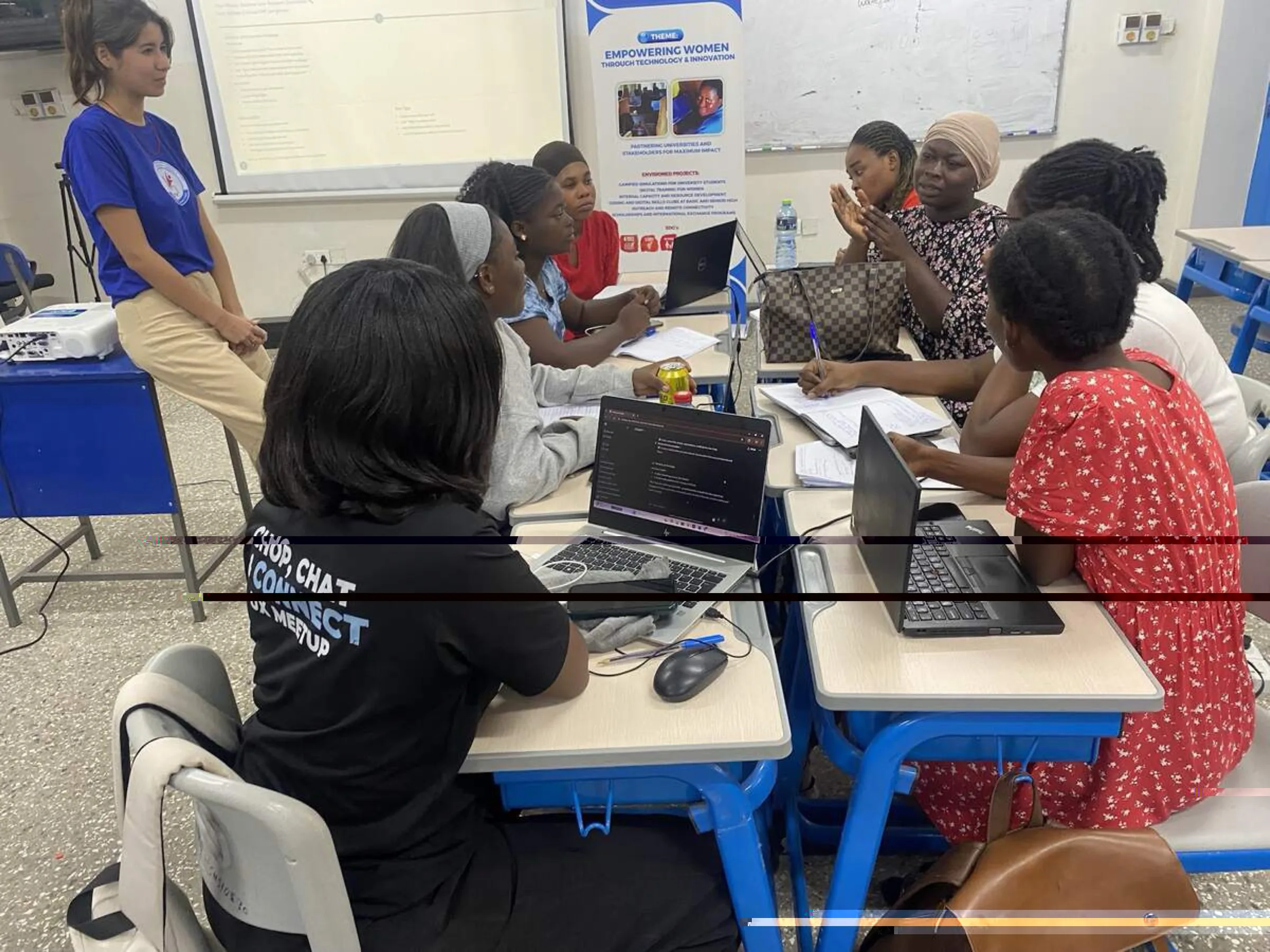
each week opens with a short talk and moves into hands-on design work in small groups.
Real users
you interview and test with real people, not imagined ones.
Critique
work is shown and discussed every week, the way design teams improve their work.
Assessment
Weekly design exercises: 30%
Usability test report: 20%
Final case study and presentation: 50%
A pass is 60% overall with the final case study completed.
Certificate
A certificate of completion from IT For Youth Ghana for at least 80% attendance and a passed final case study.
Where it can lead
- Junior UX designer
- UI designer
- Product design intern
- UX researcher (entry level)
- Next step: our Advanced UI/UX Design Intensive
Frequently asked questions
Do I need to be good at drawing?
No. UX design is about understanding people and solving problems. You will learn the visual skills you need in Figma.
What is the difference between UX and UI?
UX is how a product works for the people using it; UI is how it looks. This course covers both, with a focus on UX.
Why is there a fee?
The fee covers the studio sessions, materials and testing with real users. Ask us about support if the fee stands in your way.
What comes after this course?
Graduates can apply for junior design roles or continue to our Advanced UI/UX Design Intensive.